How to export all your Google Docs
Learn how to export all your Google Docs by using Google Takeout, choose the best file formats for long-term access, and move your documents into a private alternative without getting locked into another ecosystem.

Need a backup of your Google Docs, or thinking about moving away from Google services due to their AI features and arbitrary account closures? Here's the fastest way to export everything.
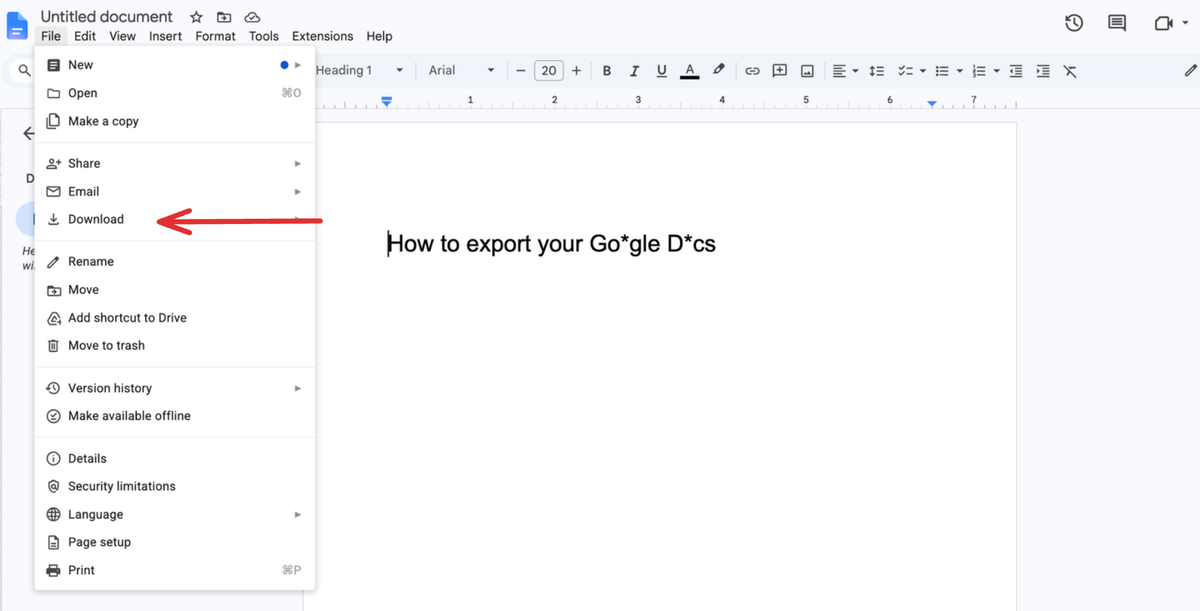
Export a single Google Doc
- Open the document.
- Click File → Download.
- Choose a format:
- .docx → best for editing later
- PDF → best for sharing or archiving
- .txt / .md → best for plain text workflows
The file downloads instantly to your computer.
Export and download all your Google Docs at once
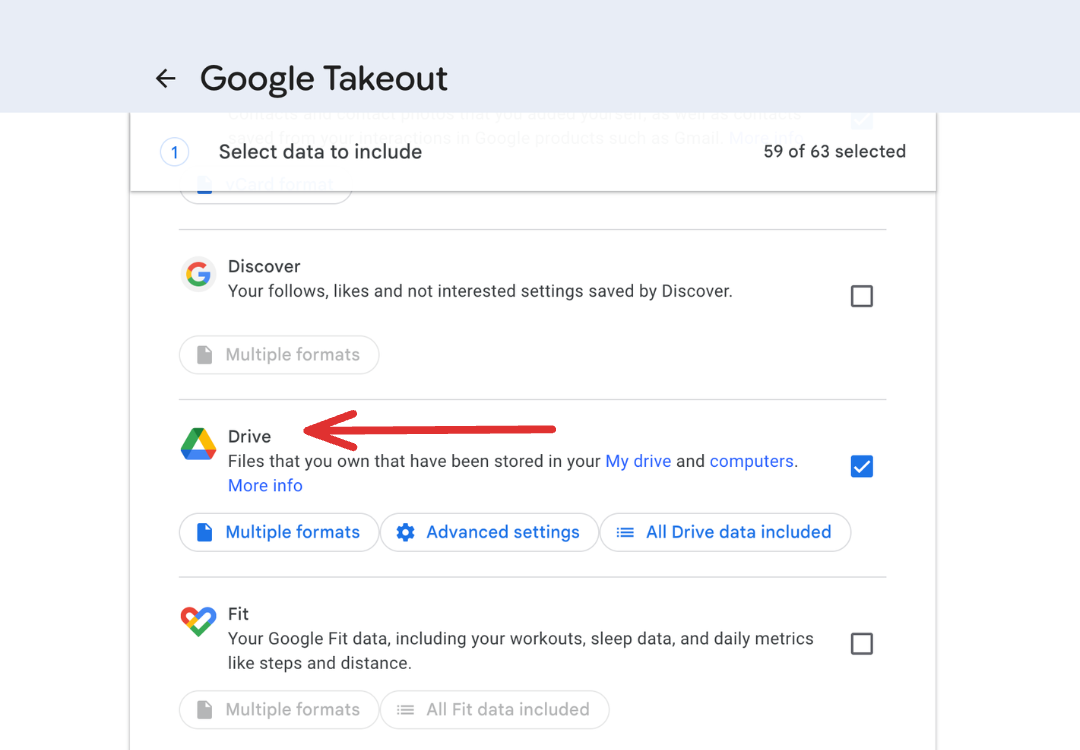
For a full backup, use Google Takeout:
- Go to Google Takeout.
- Click Deselect all.
- Select Drive only.
- Choose your export formats (use the Drive settings button to pick .docx or PDF) and delivery method.
- Click Create export.
Google will generate a downloadable zip containing your documents.
What’s the best format?
For most people, .docx is the safest choice. It preserves formatting and works across nearly every editor and writing app. If you prefer plain text, long-term portability, or lightweight writing tools, Markdown (.md) is also a strong, light option.
Where should exported docs go?
Exporting your files is only half the process. You still need somewhere to store, search, open, and edit them without immediately locking everything back into another ecosystem.
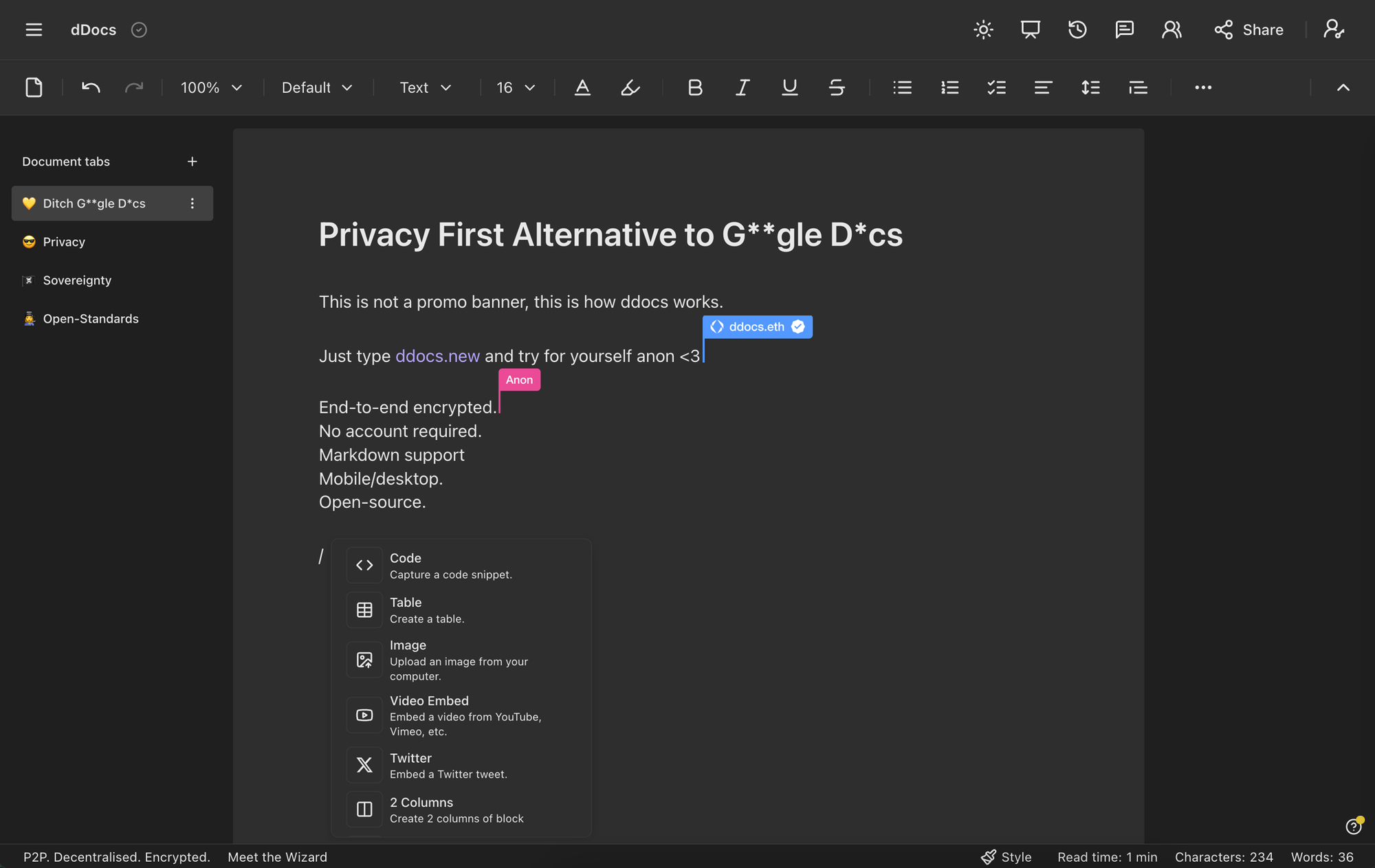
One app that’s been gaining traction is dDocs (ddocs.new) by Fileverse: an end-to-end encrypted, open-source alternative to Google Docs for people who want privacy, file ownership, and a simpler writing experience without AI built into everything.
A few reasons people use it after exporting from Google Docs:
- Bulk upload support for imported documents
- End-to-end encrypted, your files are private by default
- No forced AI features
- Open source
- Accessible from any browser or device
- Works even without wifi
- You can always recover your data: your documents remain independently accessible and recoverable, so you’re never locked into the platform or dependent on Fileverse to access your own files
However you store them, the important part is done: your writing now lives somewhere safe and that only you control!