End-to-End Encrypted Google Docs Alternative for Privacy (2026)
Looking for a private Google Docs alternative? dDocs is end-to-end encrypted by default and built for privacy-preserving collaboration in 2026.
In 2026, privacy expectations for online documents have changed. For many people, especially in regions with no data protection standards or unnecessarily intrusive surveillance laws, writing online now comes with an uncomfortable trade-off: loss of privacy and control over your own data.
Most writing apps or platforms still rely on a trust model where documents live on servers that can technically access their contents. This raises a simple question: can your writing platform read your documents? If the answer is yes, then the tool is not private by design, regardless of policies or promises.
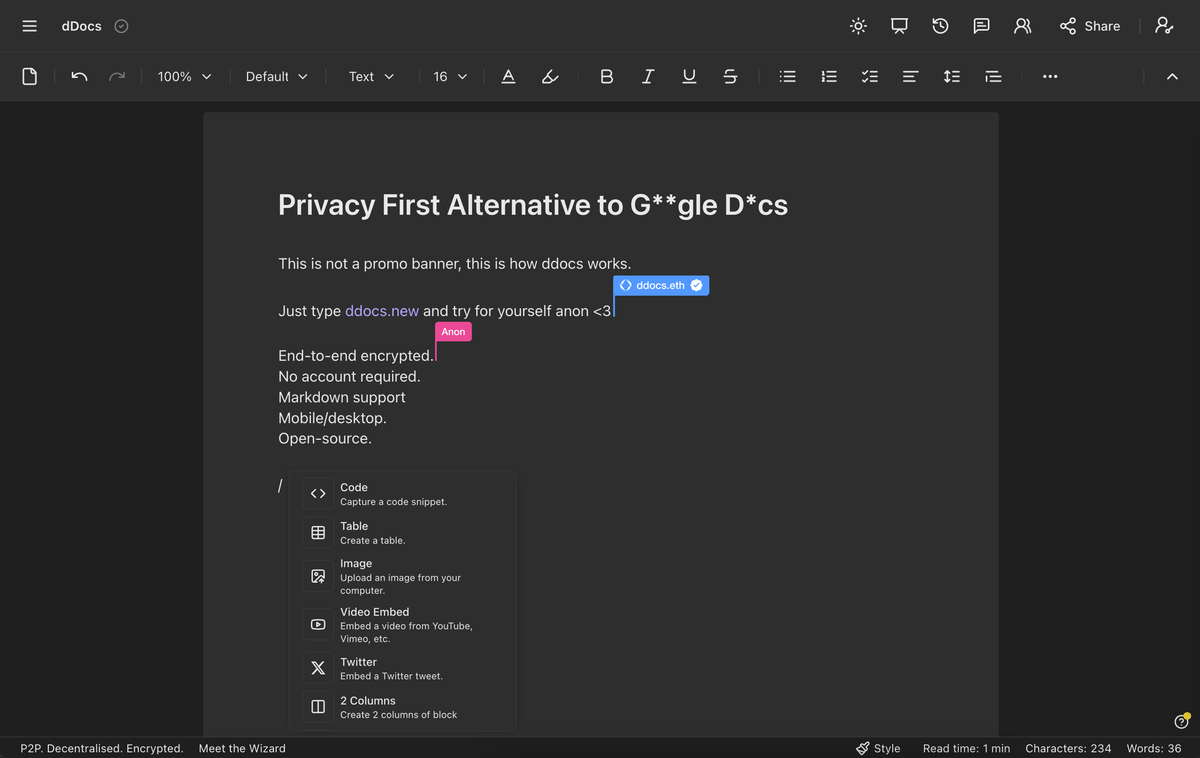
dDocs takes a different approach with end-to-end encryption by default, meaning the platform cannot read your documents. If you are looking for a private, encrypted alternative to Google Docs, that’s what dDocs is built for.
What End-to-End Encryption Means for Documents
End-to-end encryption in document editors is often misunderstood. Many tools describe themselves as “encrypted,” but still process documents on servers that can decrypt their contents.
With true end-to-end encryption, documents are encrypted before they leave your device and can only be decrypted by people you explicitly authorize. The service hosting the document does not hold the keys needed to read it, which is fundamentally different from encryption applied only at server level or during data transport.
With true end-to-end encryption:
- the platform cannot read your documents
- server operators cannot run analytics on your content
- third parties cannot access data through the service
- privacy is enforced by architecture, not policy
This distinction matters because privacy is not about what a company intends to do with your data. It’s about what the system is technically capable of doing. Privacy should be enforced at the architectural level. In that sense, end-to-end encryption should be the technical foundation of a truly private Google Docs alternative.
How dDocs Works: Encryption First
dDocs is built so document access is enforced cryptographically rather than by trust in the platform. Fileverse (the team behind dDocs) does not hold or manage encryption keys, only users have access to them.
This design allows dDocs to work in both local-first and collaborative contexts. You can use dDocs as a purely local writing tool, or enable collaboration and cross-device access, without introducing new trust assumptions or giving the service access to document contents.
dDocs also does not include default or intrusive AI features. Any AI use is strictly opt-in and limited to users running their own local models, ensuring document contents remain private by default.
Private Sharing, Collaboration, and Access Control
Sharing and collaboration are often where privacy breaks down.
In most document editors, inviting someone to collaborate means exposing document access, identities, and editing activity to the platform. dDocs is designed to avoid that.
When you share a document in dDocs:
- access permissions are enforced cryptographically
- only people you explicitly authorize can decrypt the content
- the platform does not learn who your collaborators are
Live collaboration works within the same model. Edits are synchronized only between authorized participants, while document contents remain end-to-end encrypted. The platform coordinates collaboration, but cannot read documents or distinguish participants.
Access rights are verified using zero-knowledge proofs, allowing collaborators to prove they are authorized to access the document without revealing their identity or personal identifiers (eg email). Any identifiers used to grant access stay on the user’s device and are never exposed to servers.
As a result, documents can be shared and edited collaboratively while keeping both content and participants' identities private.
The Walkaway Test
A common weakness of many “private” document tools is user lock-in.
Your privacy and autonomy are compromised if access to your documents depends on a company continuing to operate its servers. To address this, dDocs is designed to pass what is called the walkaway test.
Passing the walkaway test means that you can still retrieve, decrypt, and export your documents even if dDocs becomes no longer available. Encrypted documents can be fetched directly from decentralized storage networks (eg IPFS) and decrypted locally using your own keys, without relying on Fileverse infrastructure.
In practical terms, this means long-term access to your writing does not depend on trusting a single provider. This level of freedom and data portability is unique among Google Docs alternatives. We’ll cover how this walkaway guarantee is implemented across Fileverse apps in more detail in a future post!
Private by Design
End-to-end encryption changes the role of a document platform. Instead of acting as a trusted intermediary, the platform becomes a coordinator that cannot see the content it helps synchronize.
This shift removes entire classes of risks by design. Documents remain readable only to the people explicitly authorized, access can be verified without exposing identities, and long-term access does not depend on the continued operation of a single provider.
dDocs is designed to protect people and their data when writing, sharing, and collaborating. You can try it out instantly by typing ddocs.new in your browser <3